Across
Airport way-finding for the non-native English speakers
TIMELINE
August 2022 - May 2023
ROLE / CONTEXT
UX - UI Designer / Research Driven Case Study
LEVERAGED SKILLS
UX research, Interaction Design, Accessibility
PROBLEM
Navigating airports is stressful—especially for travelers who don’t speak English fluently.
How might we reduce the difficulty of way-finding caused by unfamiliarity?
What happens?
Struggles to form a clear mental map of the airport
Increased anxiety leads to hesitation and slower decision-making
Avoids asking for help due to language barriers
Small navigation errors results in missed connections or delays
Misses critical way-finding cues at points like security, gates
Loss of independence reduces confidence in solo travel
USERS
THE IMPACT !
CUSTOMER RESEARCH
Insight #1
Navigate by reassurance, not instructions
Travelers are not looking for detailed directions—they are
looking for confirmation that they are moving in the right
direction
Insight #2
Text heavy signage creates language barrier
When navigation depends on English text alone, users
face difficulty understanding and acting on information in
real time
Insight #3
Loss of confidence creates sustained anxiety
When travelers lose confidence early on, uncertainty
persists across subsequent decisions, even when
information is available
While conducting remote interviews with aging adults to observe real-time navigation behavior,
decision-making, and emotional responses in unfamiliar airport environments it helped understand
moments of hesitation, confidence loss, and reliance on visual cues that are often missed in
retrospective research.
Design implications shaped by clarity, purpose and real-world impact
Prioritizing reassurance over instructions
Reducing dependence on language
Reinforcing confidence throughout the journey
Validating progress
Preventing early confusion
Visual communication
KEY EXPERIENCE ELEMENTS
Core experiences that guide travelers navigate across airports with reassurance, clarity, and guidance
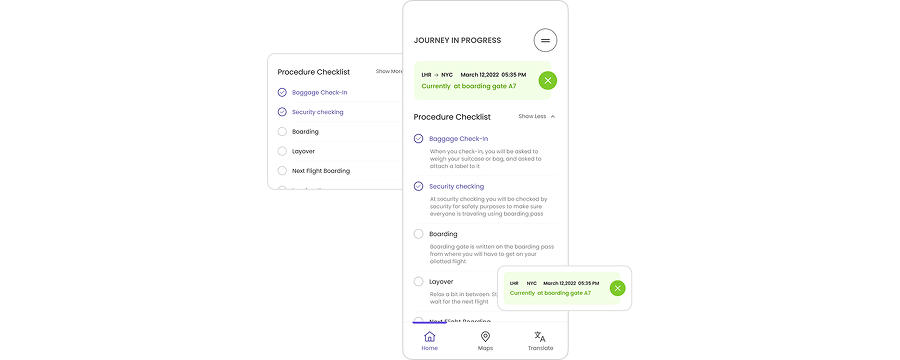
Progress Confirmation
Continuous reassurance that travelers are on the right path, reducing hesitation and
second-guessing throughout the journey.
Key Factor #1

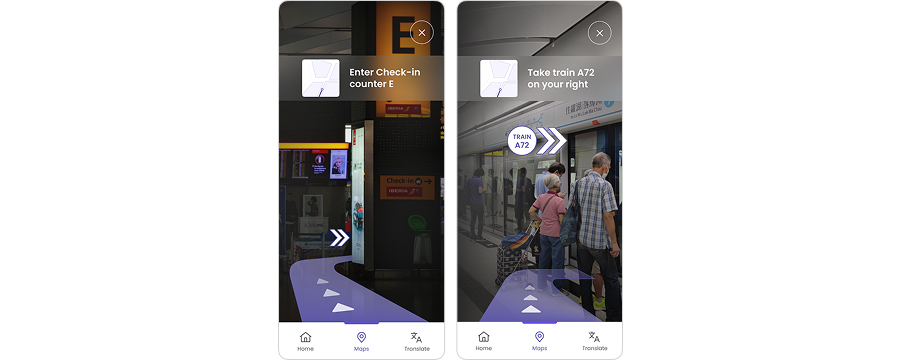
Build confidence through real time guidance
Augmented, in-context navigation overlays guide travelers at critical decision points,
helping them move confidently through unfamiliar spaces without second-guessing
their choices.
Key Factor #2
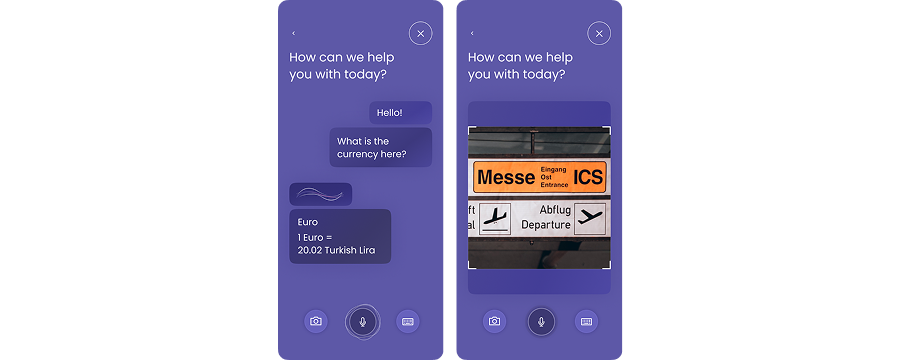
Communicating visually and translations
Across minimizes reliance on written language by translating signage, symbols, and contextual
information into clear visual guidance. Travelers can understand directions, locations, and
essential details without needing to read or interpret unfamiliar text
Key Factor #3


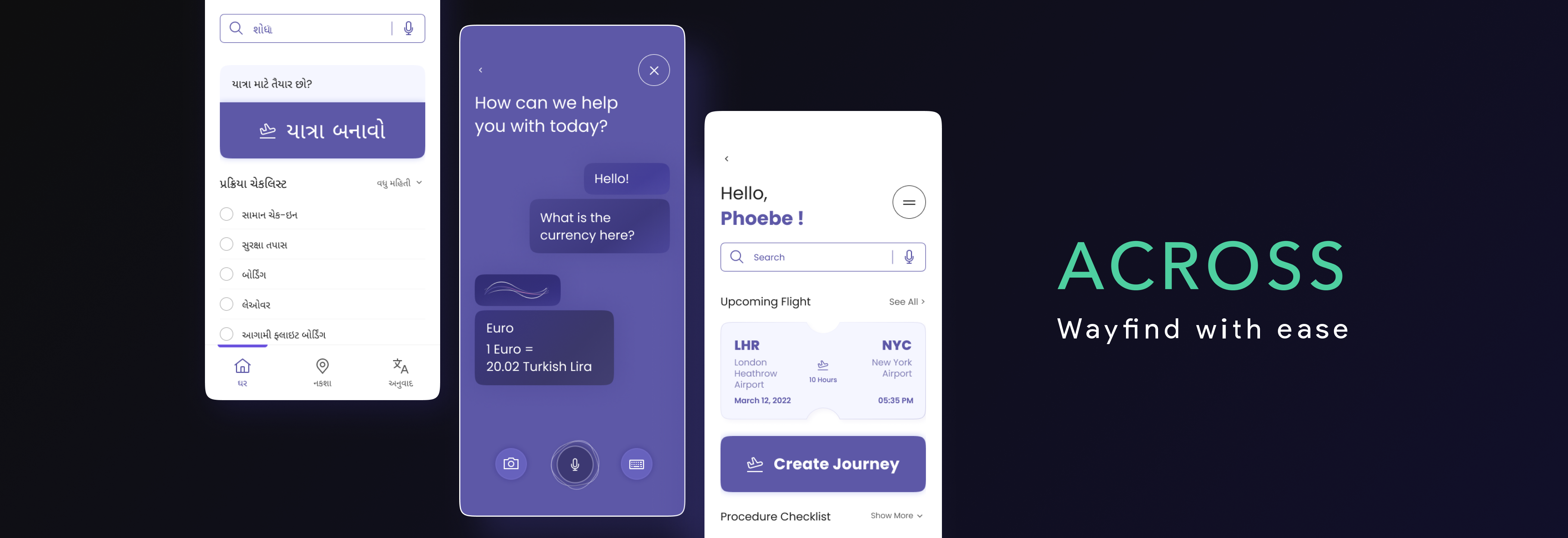
Across is a way-finding experience designed to help non-native English speakers navigate airports with confidence.
It prioritizes visual guidance, continuous reassurance, and reduced cognitive load across the traveler’s journey.


+
=
Aging adults who are
non-native English Speakers
INTERACTIVE PROTOTYPE

SYSTEM FLOW